TWO SURFACES. ONE INTELLIGENCE WORKFLOW.

Property insight.
Without the gaps.

Research in Chrome. Run a protected engine on Windows. Keep provider results, activity, and connection state in one PropWorth workflow.

One product identity across the browser and the desktop.

WINDOWS ENGINE  +  CHROME RESEARCH

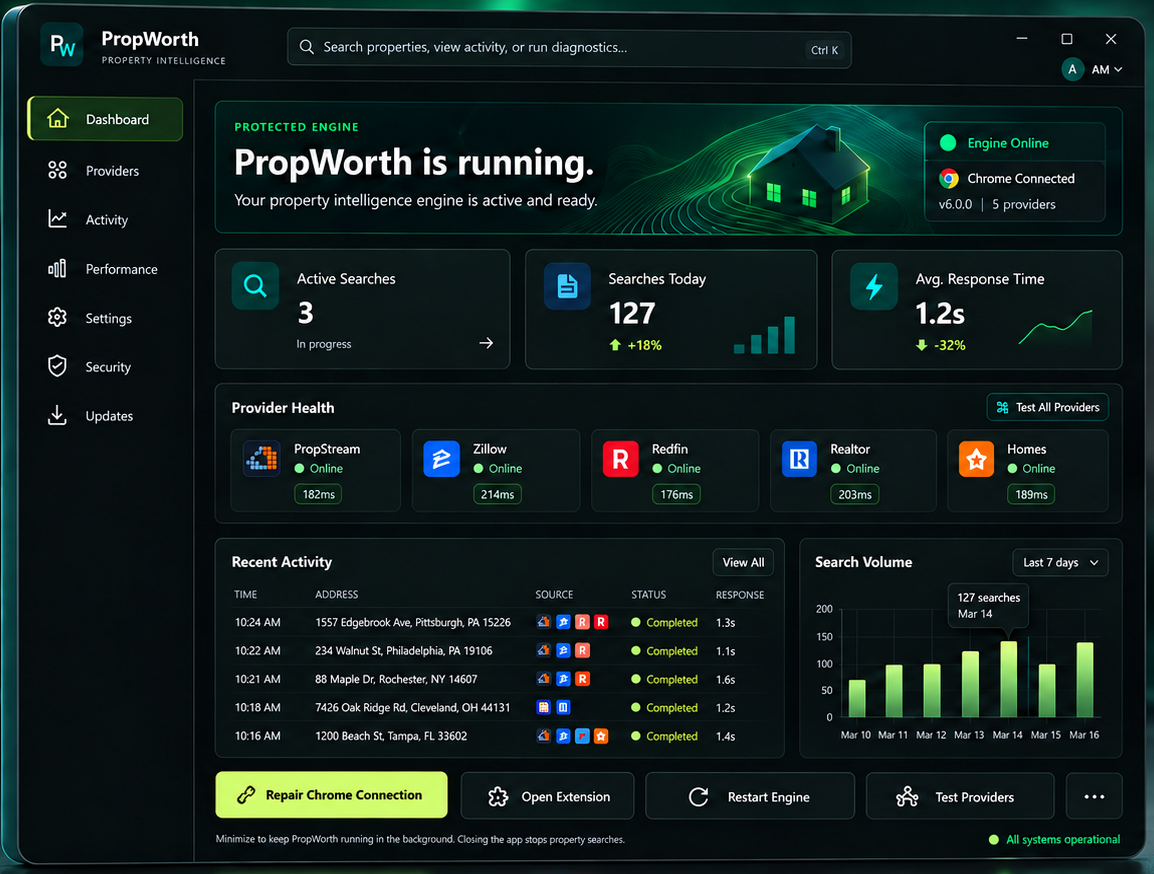
PropWorth Windows dashboard showing the protected engine, provider health, and recent activity.
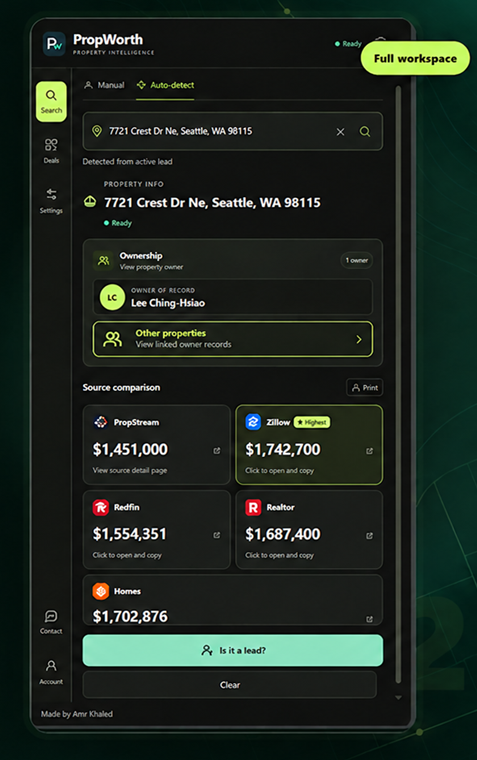
PropWorth Chrome extension showing a completed property search with ownership and source comparison.
WINDOWS APPLICATIONProtected engine
CHROME EXTENSIONIn-browser research
CONNECTED EXPERIENCEOne workflow
PROVIDER NETWORKFive sources

THE PLATFORM

Two surfaces. One workflow.

PropWorth keeps research in the browser and engine control on Windows, with one coherent visual language across both.

WINDOWS APPLICATION01

The engine behind every search.

See connection state, provider health, search activity, and updates in a protected desktop workspace.

Engine online
Chrome connected

Provider health • Recent activity • Updates

CHROME EXTENSION02

Research where you work.

Detect or enter a property, watch provider results arrive, and carry useful findings into your lead workflow.

PROPERTY RESEARCH
Search a property or detect the active lead

PropStream   Zillow   Redfin   Realtor   Homes

A CONNECTED ROUTE TO AN ANSWER

From search to decision,
without a handoff.

The extension stays close to the property. The Windows app gives the engine a clear home.

01

Start in Chrome

Enter a property or use auto-detect from the active lead.

02

Let sources work

Results from available providers arrive as each search progresses.

03

Stay in control

Review provider health, activity, and connection state on desktop.

MADE FOR THE DAILY WORKFLOW

Clarity at every step.

A focused set of tools across the Chrome extension and desktop engine.

01

Provider visibility

See which sources are ready and what each returned for a search.

02

Search activity

Follow searches and results without losing the property context.

03

Connection health

Know when the engine and Chrome bridge are connected.

BUILT AROUND TRUST

Protected where
it matters.

The desktop engine, approved-device access, and server-managed integrations are designed as one protected workflow.

01

Approved devicesAccount access is tied to a registered installation.

02

Managed integrationsService credentials stay under server control.

03

Connected surfacesChrome research and Windows status work together.

ONE PROPWORTH WORKSPACE

Make every property search
feel connected.

Research in Chrome. Stay in control on Windows.

Request access